
Essentials / Essentials
This article may contain affiliate linksLearn morePocket Wi-Fi for Visitors: The Best Airport Pick-up Options for Your Family
Published on February 17, 2026
Updated on June 11, 2026
Author:Yushi Yamamoto

Essentials
Updated against official, partner, and reviewed site evidence where available.
Last updated: June 11, 2026
Official or partner facts are separated from practical notes.
Prices, screening, documents, and rules can change.
Some next-step links may be monetized.
Needs review: Approval, visa/tax/legal, availability, and campaign terms are not guaranteed. Confirm on the official or partner page.
Great for LINE / WhatsApp sharing
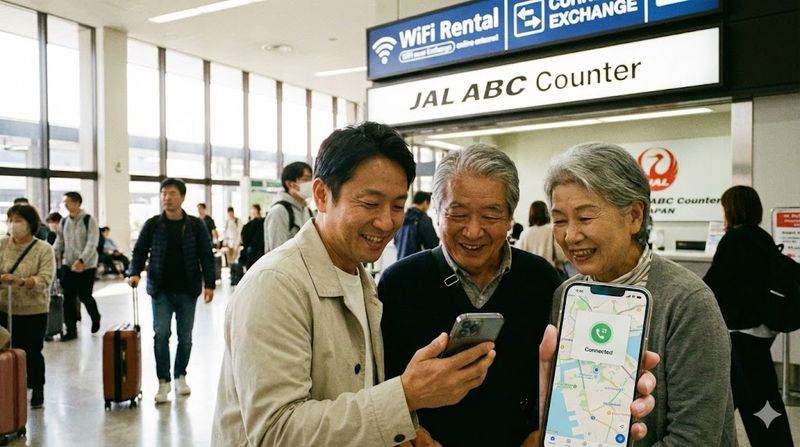
"My parents are visiting Japan for the first time next week. But I have work and can't meet them at the arrival gate..."
For you as a host, the day your guests arrive is exciting, but it also comes with a bit of anxiety. What if their phones don't connect in the arrival lobby and you can't reach them? Airport Free Wi-Fi can be finicky to log into, and the moment they step outside to catch a train, that connection is gone.
To ensure your loved ones don't get lost and can meet you with a smile, there is one essential preparation: Booking a Pocket Wi-Fi that they can pick up at the airport, has English support, and can be returned by simply dropping it in a post box.
In this article, we compare the best Wi-Fi rental services for foreign residents to recommend, focusing on "English Support" and "Docomo Network Reliability" (crucial for rural trips), based on real pricing simulations.
Pick up at the JAL ABC counter in the arrival lobby. Full English support means your guests can travel alone with confidence.
If you choose based solely on the cheapest price, you (the host) will end up being the tech support hotline during their trip. For your family's peace of mind, do not compromise on these three points:
This is critical. If trouble arises, can your guests contact support themselves? Many cheap Japanese rental Wi-Fi services only offer support in Japanese. Services like Sakura Mobile or Mobal have native English-speaking staff, so your guests can resolve issues even while you are at work.
If their flight arrives late at night or early in the morning, there is a risk the counter will be closed. Also, famous budget brands often have long queues for same-day rentals. To prevent your exhausted family from standing in line after a long flight, "Pre-booking" is essential. Alternatively, skipping the airport counter entirely and choosing "Delivery to Hotel/Home" is a smart move.
If your family plans to visit not just Tokyo or Osaka, but also rural areas, hot springs (Onsen), or ski resorts, network choice is life-or-death. In cities, any carrier is fine. However, in rural areas, the NTT Docomo network (Sakura Mobile, etc.) is overwhelmingly more reliable. SoftBank lines can sometimes go out of range in mountainous areas.
From the many services available, we have selected the 3 best options for residents to recommend. Choose based on "Pickup Location" and "Length of Stay."
| Feature | Sakura Mobile | Mobal | Cloud WiFi |
|---|---|---|---|
| Best For | Short-Med Trip (1 week - 1 month) | Repeaters/Long-term (3+ months / Annual visits) | Budget Focused (Delivery Only / 1+ month) |
| Network | Docomo (Strongest) | SoftBank / Docomo | SoftBank (Cloud SIM) |
| English Support | ◎ Full Support | ◎ Full Support | △ Mostly Japanese |
| Pick-up | Airport Counter | Airport Counter | Delivery Only (Hotel/Home) |
| Return | Post Box (Easy) | Keep Device (Purchase) | Post Box |
| Est. Price (7 Days) | Approx. ¥5,000~ | ¥13,960 (Inc. Device) | No short plan |
| Est. Price (30 Days) | Approx. ¥10,000~ | ¥13,960 (Same as above) | ¥3,718 (Inc. fees) |
Docomo network reliability for rural trips and the peace of mind of full English support. The #1 choice among our readers.
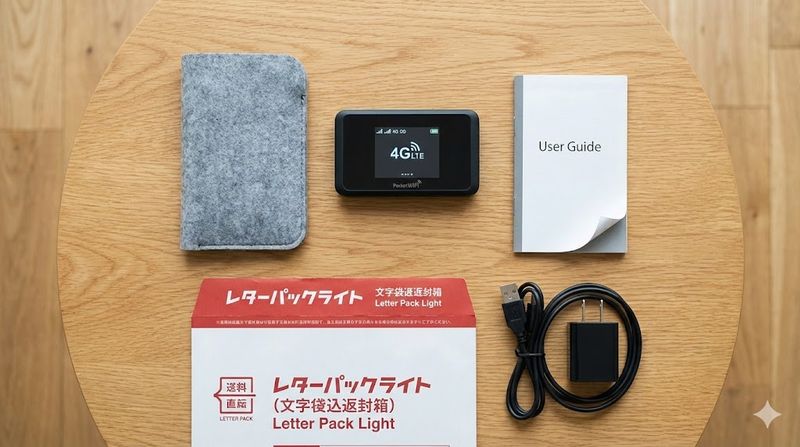
For family visiting Japan for the first time, or for itineraries that include rural areas, Sakura Mobile is the safest choice.
Rented this for my parents. They found the pickup at Narita easy, and I was relieved to get a LINE call from them immediately after arrival. It worked perfectly even at a countryside Onsen.
If your family comes to Japan "every year," or if your partner is staying for "more than 3 months," it is cheaper to buy a terminal from Mobal rather than renting.
Great for elderly parents who are worried about breaking or losing a rental device. Since they own it, they can use it without stress.
Buy once, use forever. Perfect for annual visits or long-term stays.
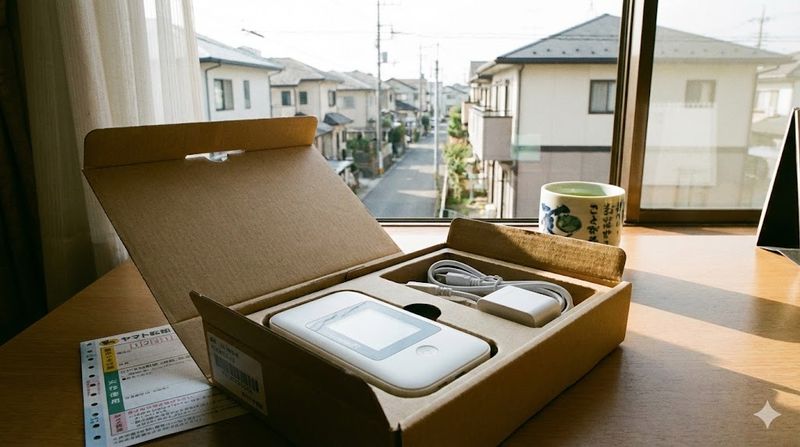
If you "hate queuing at airport counters," "want it sent directly to your home," or "are staying for more than a month," Cloud WiFi is overwhelmingly cheaper.
No airport pickup, but if delivery works for you, you can save significant money.
Booking isn't the end. Here are the steps to ensure your guests get their Wi-Fi smoothly and meet up with you.
A. Yes, absolutely. Fees for loss or water damage are high (¥20,000–¥40,000). In an unfamiliar travel environment, the risk of leaving it in a restroom or taxi is high. Buy "peace of mind" for just a few hundred yen a day.
A. For rural areas, Sakura Mobile (Docomo) is the only choice. SoftBank-based networks (like Ninja WiFi or Cloud WiFi) are fast in cities, but often go out of range in mountains or remote islands. If in doubt, choose the Docomo network to be safe.
Your family's visit is precious. Don't let them feel anxious at the airport or get lost with a disconnected phone just to save a few thousand yen.
If you book Sakura Mobile, you can connect with them via LINE call the moment they arrive, ensuring a stress-free start to their Japan trip. Book now before inventory runs out.
Airport pickup, post box return. Give your family the safety of full English support.
You might need this information again. Bookmark this page to access it anytime.
A practical 14-day checklist for city hall, utilities, SIM, internet, and moving tasks.
Reading this in English?
Help improve English guides like this
If this guide helped but a phrase felt unnatural, your native check can make the next English article clearer for foreign residents in Japan.
A: Pocket Wi-Fi (モバイルルーター) is a portable wireless router that creates a personal hotspot using Japan's cellular network. It lets multiple devices (phones, tablets, laptops) share one data connection — useful for visiting family who don't want to purchase individual SIM cards.
A: Most Pocket Wi-Fi rental services offer airport counter pickup at Narita, Haneda, Kansai, and Chubu airports. You order online in advance and collect the device immediately on arrival — no language skills needed.
A: Prices range from ¥300–700/day depending on the provider and data allowance. A 2-week rental typically costs ¥5,000–10,000. Return is by prepaid mail envelope, making it convenient.
A: Yes. Leading services like Global Advanced Communications (GAC), Ninja WiFi, and similar offer English-language websites, airport pickup counters with English staff, and simple plug-in-and-use devices requiring no setup.
A: Pocket Wi-Fi is better if multiple people are sharing one device or visiting together. Individual tourist SIMs (like IIJmio tourist SIM or Docomo tourist eSIM) are better if each person has their own phone and wants their own number.

CEO / Native Japanese Expert
Updated on: June 11, 2026
※ The information in this article is accurate as of the time of writing. Laws and regulations may change, so please always check official sources for the latest information. We assume no liability for any damages resulting from the content of this article.


